
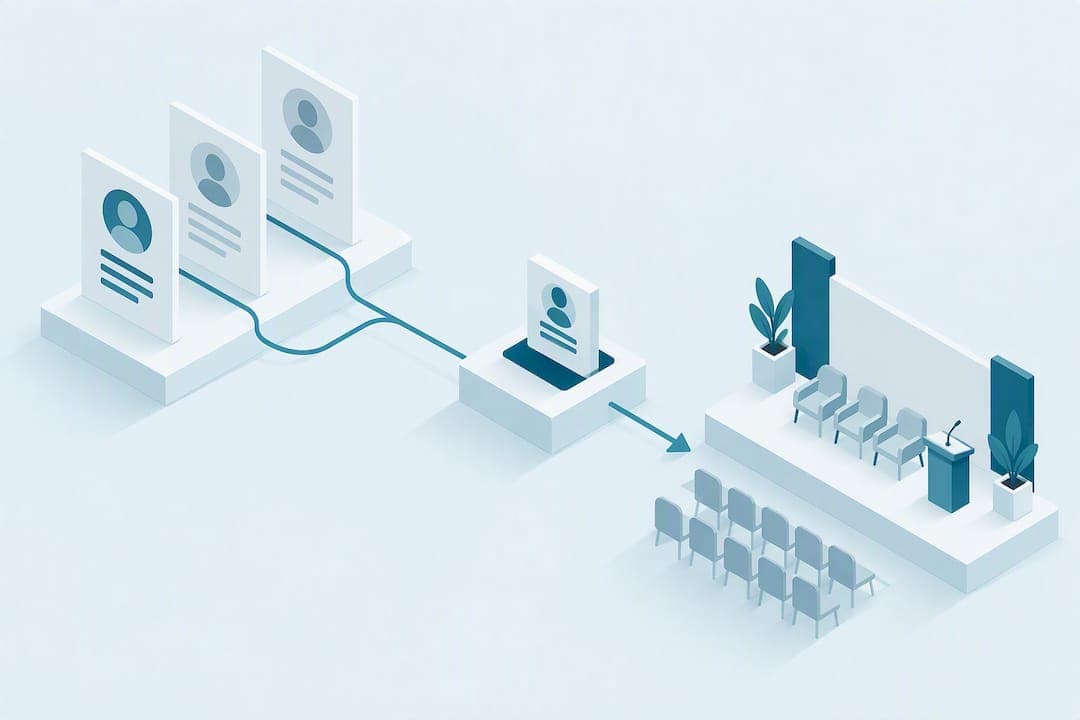
Collect one 200-word master bio in third person, then trim guided versions at 100 and 50 words, plus a 30-second moderator intro card. Request it at acceptance, not two weeks before the event, through a single structured submission link that checks headshot specs and consent fields automatically. That one workflow change eliminates most of the back-and-forth that eats your production timeline.
TL;DR:
- Collect bios at acceptance using private links for each speaker to ensure timely, consistent submissions and prevent delays caused by ambiguity or lost files.
- Standardize bios into three lengths—50, 100, and 200 words—using a clear template to match different presentation needs and simplify trimming.
- Ensure bios are in third person, built around relevance, key achievements, and a personal detail, to improve clarity and professionalism across all materials.
- Automate headshot validation and reminders, and clearly label filenames to streamline the submission process and reduce manual reformatting.
- Use verified speaker directories to find credible candidates quickly, reducing validation time and confirming past engagement before reaching out for bios.
Table of Contents
- How Do You Collect Speaker Bios Efficiently?
- What Goes in a 30-Second Moderator Intro?
- What Information Should You Collect From Speakers?
- How Do You Stop Chasing Speakers for Bios?
- Sample Bios You Can Copy and Edit
- Why Standardizing Bio Collection Pays Off Long After the Event
- Where to Find Verified Speakers Faster
- Sources
- FAQ
How Do You Collect Speaker Bios Efficiently?
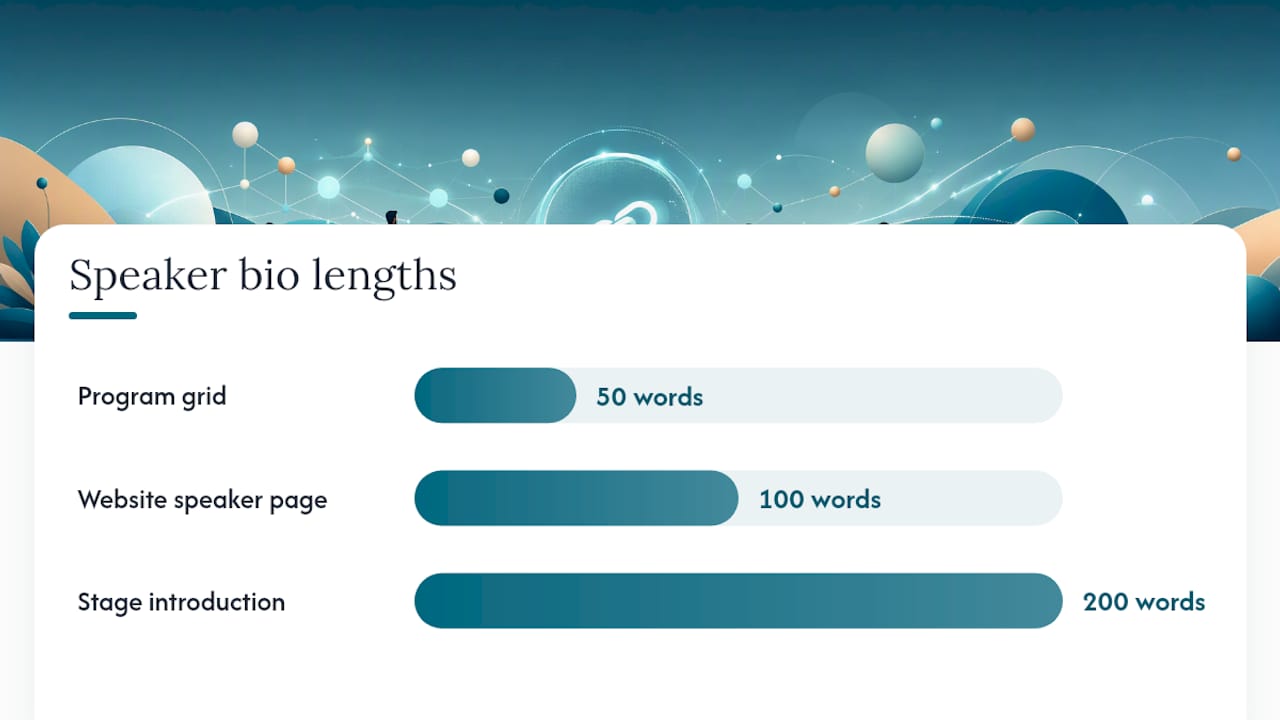
The fastest path to clean speaker bio collection starts with a decision most event teams skip: pick your lengths before you send a single request. Events typically need three versions, roughly 50, 100, and 200 words, because each serves a different piece of your event's real estate. A program grid has no room for paragraphs. A speaker page on your website can carry more. A keynote introduction on stage needs almost none of it read aloud.
The 50-word bio
This is your program card and app listing copy. Structure it as: relevance to the audience, current role, one proof point, one human detail. Skip the resume. A reader scanning a session grid on their phone needs to know why this person matters in about four seconds.
- Relevance (one clause: what this person is known for)
- Role and organization
- One credibility marker (a number, a title, a notable project)
- One human touch (an interest, a quirky fact, a teaching style note)
The 100-word bio
Built for your website and event app, where readers linger a bit longer. Take the 50-word core and add one expanded proof point plus a sentence connecting the speaker directly to what attendees will take away from their session. This is where you answer "why should I attend this specific talk," not just "who is this person."
The 200-word master bio
Write this one first, then trim down. It should read as two or three short paragraphs: an opening line establishing relevance, a middle section on background and achievement, and a closing line with a personal or human note. A four-part framework, essentials, connection to the event theme, a human detail, and scannable formatting, works well here because it forces you to prioritize what actually matters before you start cutting for length, according to Bizzabo's guidance on conference speaker bios.
Publish every version in third person, even when the speaker writes it in first person and forgets to convert it. Third person reads as an introduction rather than a personal statement, and it is the standard across programs, apps, and printed materials. When trimming from 200 to 50, cut backstory first, then older credentials, then anything that isn't directly relevant to this particular audience.
What Goes in a 30-Second Moderator Intro?
A moderator reading the full 200-word bio out loud is one of the most common (and most avoidable) mistakes in event production. Nobody in the audience retains a paragraph of credentials spoken at conversational pace. Build a separate, short script instead.
- Open with one sentence connecting the speaker to why this session matters right now.
- State one credential, the single most relevant one, not the longest list you have.
- Say the session title clearly, so attendees mentally register what's coming.
- Save the speaker's name for the very last words, right before applause.
Keep the whole thing to roughly 30 seconds, about 60 to 75 words spoken aloud. Leading with the session's value and landing on the name last helps the audience connect credentials to content before the ovation instead of losing the thread halfway through a list of job titles. Confirm pronunciation with every speaker in advance, and add phonetic spelling directly on the moderator's card. Nothing undercuts a strong introduction faster than mangling someone's name in front of 300 people.
What Information Should You Collect From Speakers?
Build one submission checklist and use it for every speaker, every event. Consistency here is what saves your production team from reformatting fifteen different bio styles the week before doors open.
Content fields:
- Name exactly as it should print (including preferred name if different from legal name)
- Pronouns
- Job title and organization
- 200-word master bio, plus 100 and 50-word trims (or explicit permission for your team to trim it)
- Session title and a one-line session description
- Headshot
Technical specs for the headshot:
- Minimum 1200 pixels on the short side
- JPG or PNG format
- Recent photo, professional or semi-professional quality, forward-facing
Consent and disclosure fields:
- Permission for recording, livestreaming, and photo use
- Conflict of interest disclosure, if your event requires it
- Continuing education (CE) credit requirements, where applicable
A checklist covering headshot, biography, contact information, social handles, and session description, paired with visibility into what's already been submitted, measurably increases speaker completion rates and cuts down the manual chasing your team would otherwise do by email. Speakers who can see their own missing items complete their submissions faster than speakers guessing what you still need.
How Do You Stop Chasing Speakers for Bios?
Most of the friction in speaker bio submission comes from timing and tooling, not from speakers being difficult. Fix the timing first: collect bios at acceptance, as part of onboarding, rather than as a follow-up task weeks later once your attention has moved to logistics.
- Send one private link per speaker, not a shared form or a generic email address. A private, per-speaker page lets each person see only their own status and missing items, which removes the ambiguity that causes delays with shared intake methods.
- Validate uploads automatically. A submission tool that rejects a headshot below your resolution threshold, or flags an unsupported file type, catches problems before your design team does.
- Confirm submission immediately. Speakers who get a clear "you're done" message stop emailing to ask if their file came through.
- Send automated reminders on a schedule, not manual follow-ups your coordinator has to remember to send.
- Export to one final, version-controlled folder once everyone has submitted, structured for web, print, and app use without manual reformatting.
Some event platforms with built-in speaker centers handle this end-to-end, syncing submissions directly with the agenda and publishing speaker pages without repeated email threads, a pattern Whova's speaker center was built around. Even a simple template, like the ones available on Notion's marketplace, beats a shared spreadsheet if it gives each speaker a private view of their own status.
Pro Tip: Name every uploaded file with a fixed pattern, something like LastName_FirstName_assetType_eventSlug, before it ever reaches your design team. It sounds minor, but it is the difference between a folder your printer can use immediately and one someone has to sort by hand at midnight.
Sample Bios You Can Copy and Edit
Adjust names, roles, and details, but keep the underlying structure intact.
50-word examples:
- "Maria Chen leads product strategy at a fintech scale-up and has shipped three consumer banking apps used by over two million people. She speaks on turning regulatory complexity into product advantage. Off stage, she coaches first-time founders on pricing."
- "James Okafor is a supply chain engineer specializing in cold-chain logistics across emerging markets. He's rebuilt distribution networks for two Fortune 500 clients. He collects vintage maps and hates PowerPoint."
100-word examples: extend either bio above with one added achievement (a specific project outcome, a publication, an award) and a closing sentence tying the speaker directly to their session's promised takeaway, such as "In this session, Maria will walk through the exact framework her team used to cut compliance review time by half."
200-word master bios follow the same arc across two or three short paragraphs: relevance and current role first, background and achievement in the middle, one personal detail to close. Trim from the bottom up when you need shorter versions, since the human detail is usually the first thing that can go without losing meaning.
Why Standardizing Bio Collection Pays Off Long After the Event
Most organizers treat bio collection as an administrative afterthought, something to clean up once speakers are confirmed. That's backwards. Standardizing the request, same lengths, same fields, same specs, before you ever send the first email is what actually protects your production timeline. It also protects the speaker experience: nobody enjoys three separate emails asking for a photo they already sent.
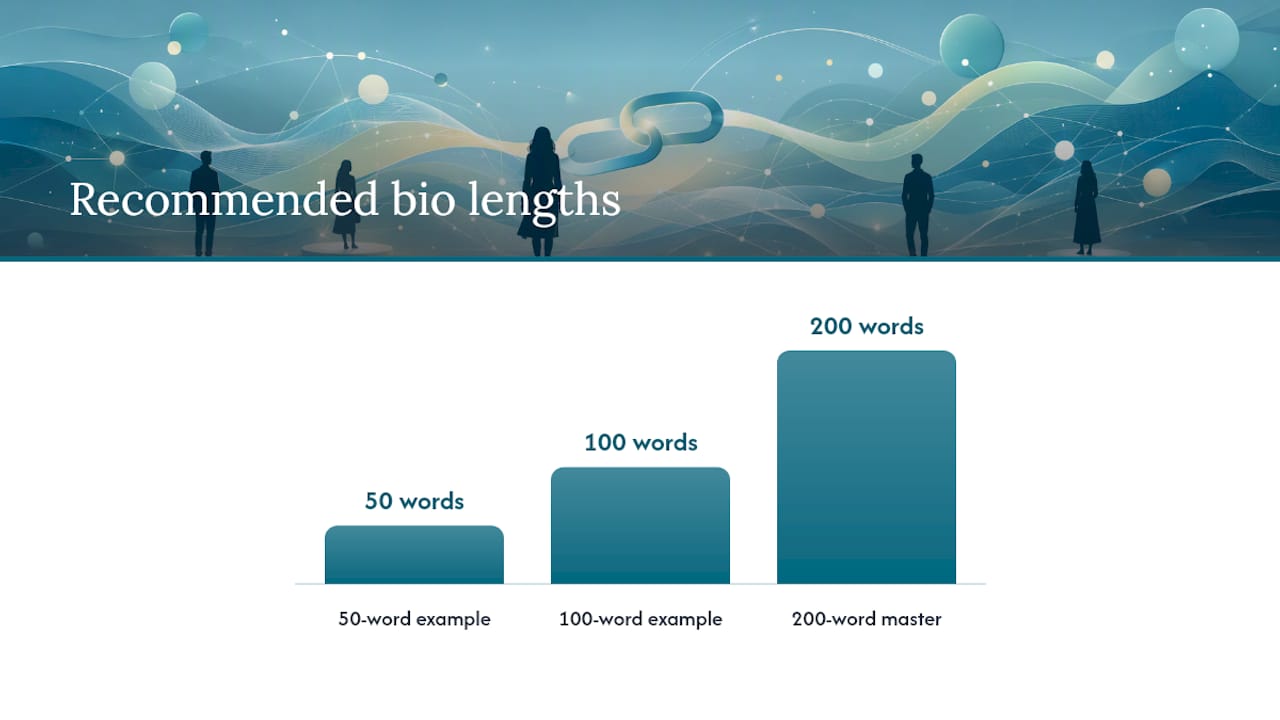
The gain compounds. Consistent 50/100/200 structures mean marketing never scrambles to rewrite copy the week of the event, and attendees get scannable, comparable bios across every session card. Sourcing the right speakers in the first place is a related but separate problem, and a verified directory can shorten that search meaningfully before collection even starts.
— Codigos
Where to Find Verified Speakers Faster
Collecting bios well solves half the production problem. Finding the right speaker to collect a bio from in the first place is the other half, and that's where most of an organizer's early hours actually go. Speakerstrail is built around one specific claim: every listed speaker and talk in its directory of 1200+ verified speakers is checked against a public conference agenda, not submitted or paid for, so what you see is what actually happened on a stage somewhere.
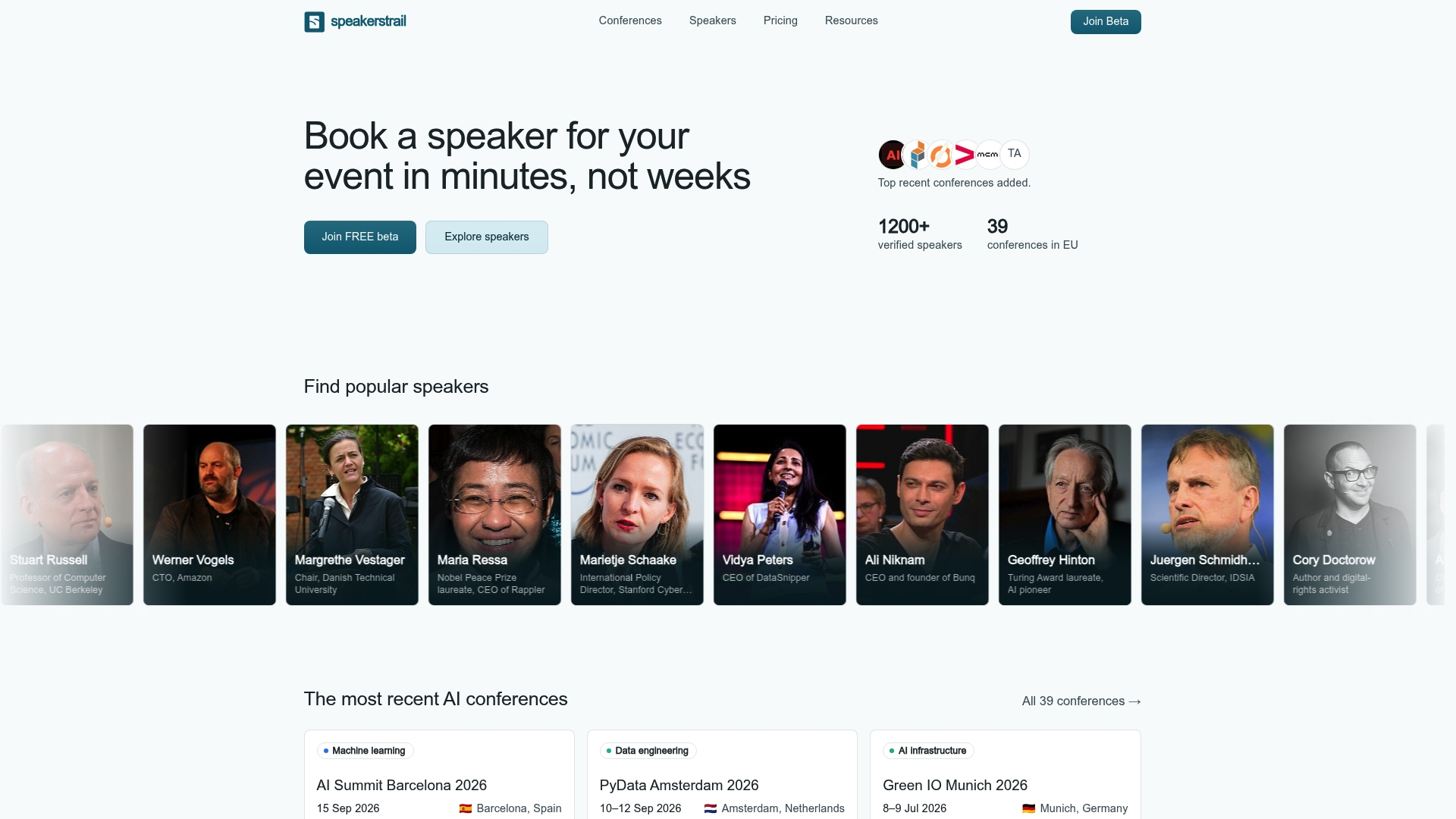
That matters when you're building a shortlist under deadline. Instead of cold-emailing a name from a LinkedIn search and hoping their experience checks out, you can review profiles like Alex Booker's verified speaker page and see linked evidence of past engagements before you ever reach out. It cuts the validation step most organizers do manually, checking whether someone actually spoke where their bio claims. Browse the directory at Speakerstrail to build your shortlist, then apply the bio collection workflow above once your speakers are confirmed.
Sources
The templates and workflow guidance above draw on Sessionboard's speaker bio templates for length structures and moderator intros, Bizzabo's framework for tone and scalability, and operational tactics from Draftpile and PheedLoop on reducing manual follow-up.
- Speaker bio template — 50, 100 & 200 Word ...
- How to Write a Conference Speaker Bio (Examples + Template)
- If You're Still Chasing Conference Speakers For Photos ...
FAQ
What Should a Speaker Bio Include?
A strong bio includes the speaker's current role and organization, one strong credibility marker, a line connecting them to the event or session topic, and one human detail that makes them memorable. Collect it at 200 words as a master version, then trim to 100 and 50-word versions using the same core structure.
What Is the Best Way to Introduce Yourself in a Bio?
The most effective approach leads with relevance to the audience before listing credentials, since readers decide whether to keep reading in the first sentence. Follow a proven structure, essentials, connection to the event, and a human touch, rather than a straight chronological resume, based on the framework Bizzabo recommends.
Should a Bio Be Written in First or Third Person?
Published event bios should be in third person, even for program materials, websites, and printed guides. Ask speakers to write in whatever person feels natural during drafting, then have your team standardize it to third person before publishing across every format.
What Is a Three-Line Bio?
A three-line bio is a compact format, roughly equivalent to the 50-word version organizers use for program grids and app listings. It typically covers relevance, current role, and one proof point or human detail, compressed to fit a scannable card format. For sourcing speakers with this kind of concise, verified profile already available, directories like Speakerstrail's listings show how a tight bio pairs with linked evidence of past talks.